How to claim a session
For Middle Ranks to High Ranks that want to book a session, this is the article that you need! In this article, we'll be talking about on how to create a session and how to join.
Creating a Server
Before a session can be started, most must create a server. To do this, they must have the "Sessions - Create New Server" permission.
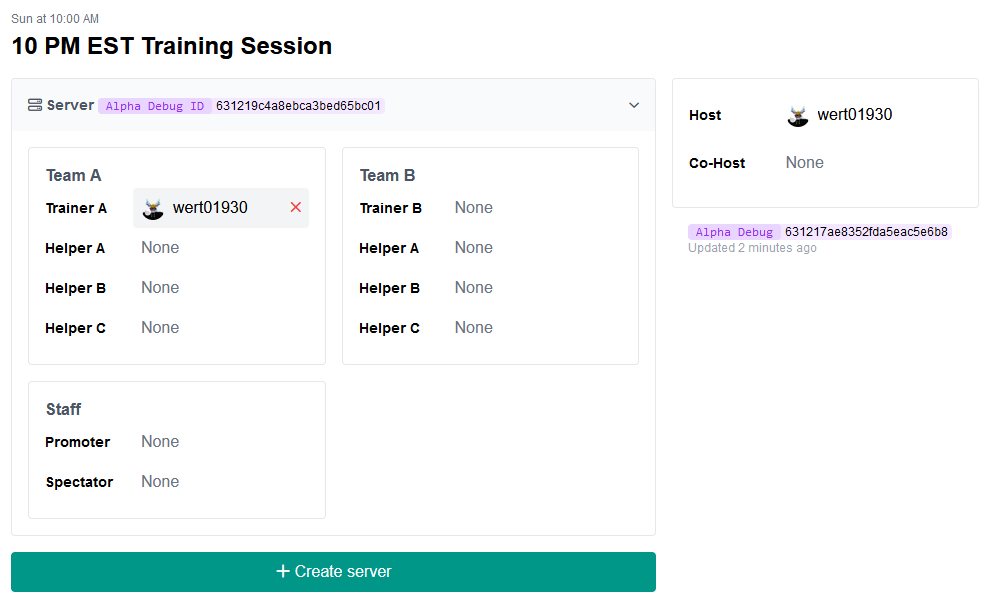
To create a server, go to Activity > Sessions > [Selected Session]
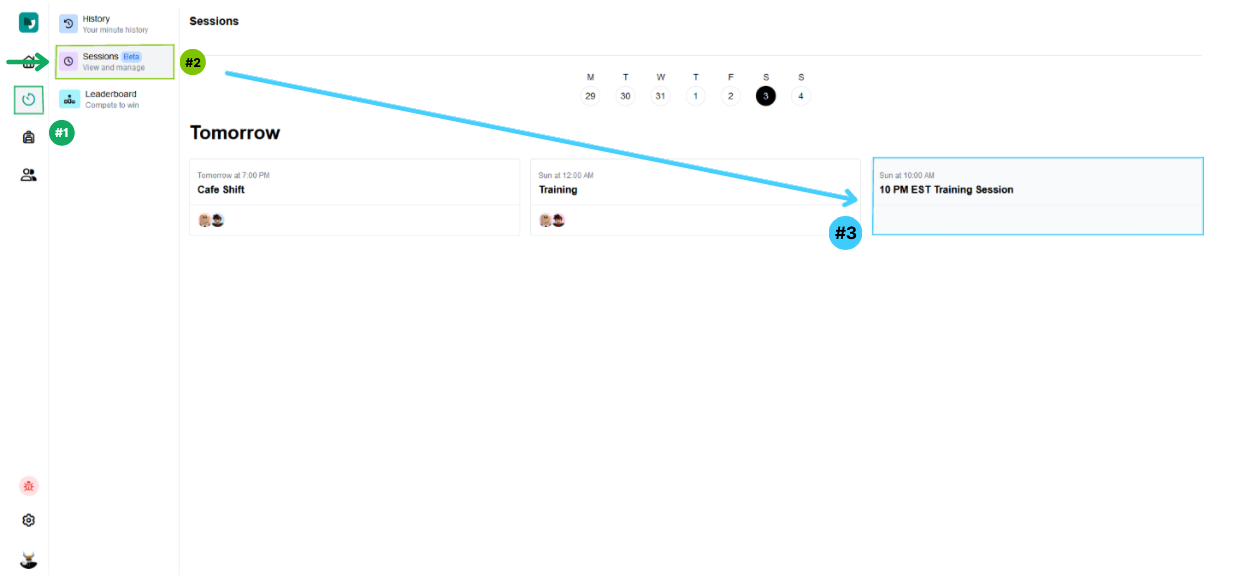
In the session, click "+ Create Server", once done, it should show up like this:
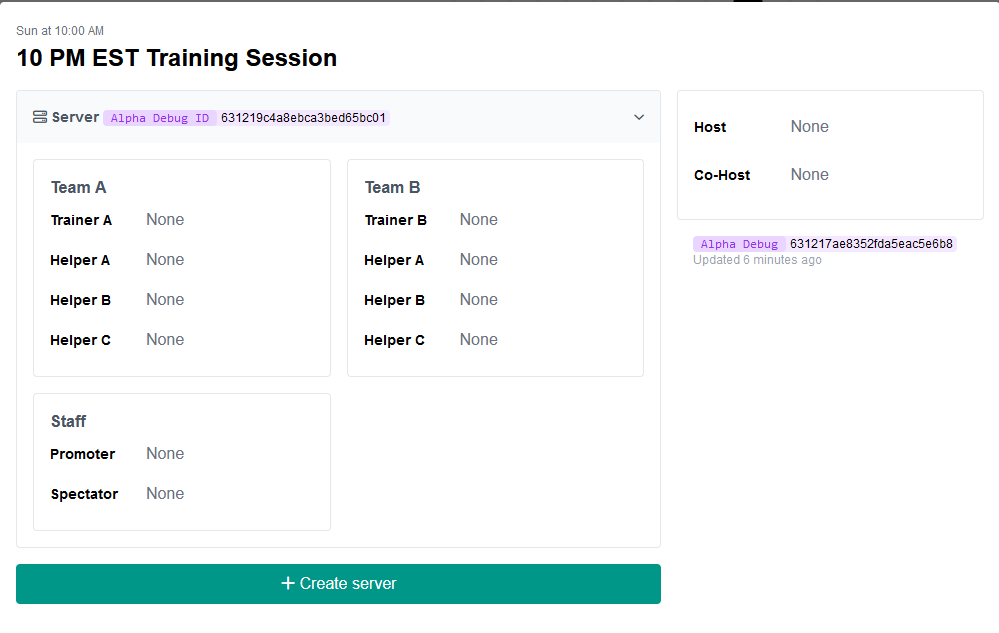
If you want to create another server, just click the "+ Create Server" again to create one!
Joining as a Host/Co-Host
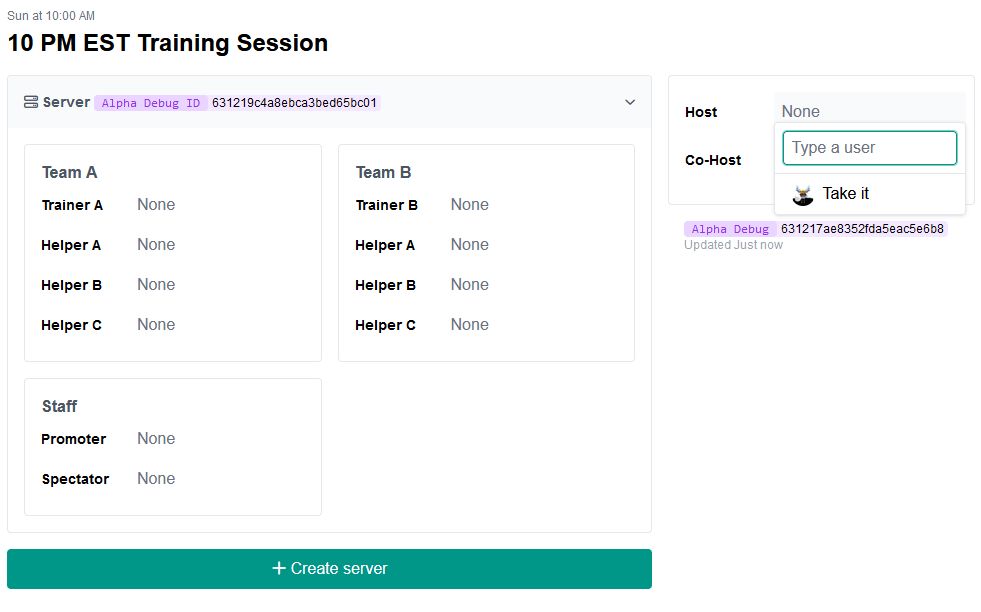
If you are the Host or Co-Host of the session, simply click the spot and click: "Take It" to take the role of the Host or Co-Host.
Please note that you need permission: "Sessions - Assign Host to Self" (for Hosts), or "Sessions - Assign Co-Host to Self" (for Co-Hosts) for you to voluntary take the session.
For users that have the permission:
- "Sessions - Assign Host to other People" (for Host)
- "Sessions - Assign Co-host to Other People" (for Co-Host)
- "Sessions - Assign Roles to other People" (for Roles)
You can type in the target user's username and add them to the role.
Joining Session Roles
For Middle Ranks that want to reserve their spot, just select the specific role that they wish to reserve and click "Take it"
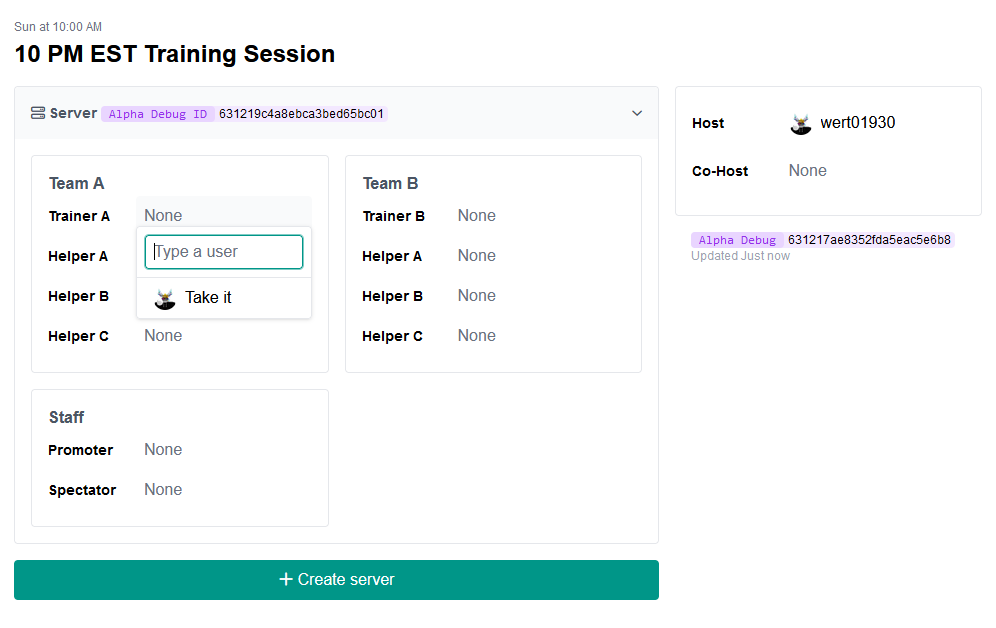
Leaving the Role
Let's say there's an urgent thing that you need to do but the session is near, you can leave the role by clicking the X on the right side of your username. Same rule also applies for the Host and Co-Host positions.