Time off Requests
Time off Requests are one of the most requested features in Hyra (click here to see the post). LOA Requests helps you manage which staff is in break to those that isn't active enough.
How to create a Time off Request?
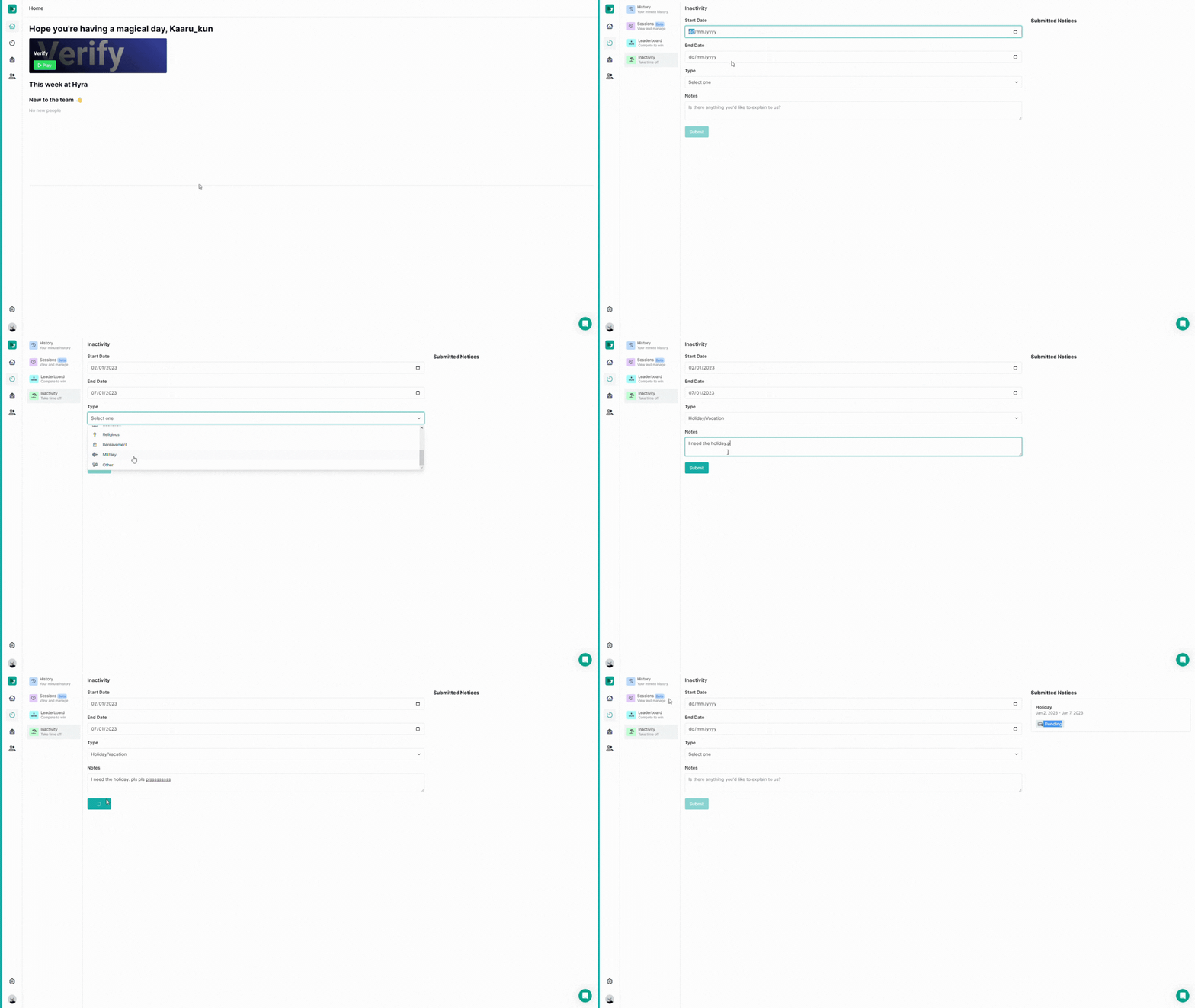
To create a time off requests (or LOA Request or Inactivity Reqest to name a few), go to Activity > Inactivity and fill in the simple form that we've created. Once done, you should be able to see the "Pending" status in your Submitted Requests page.
How to accept/deny a Time off Request?
Below this warning, you need these permissions "Manage Time off Requests and View Other Staff" to continue.
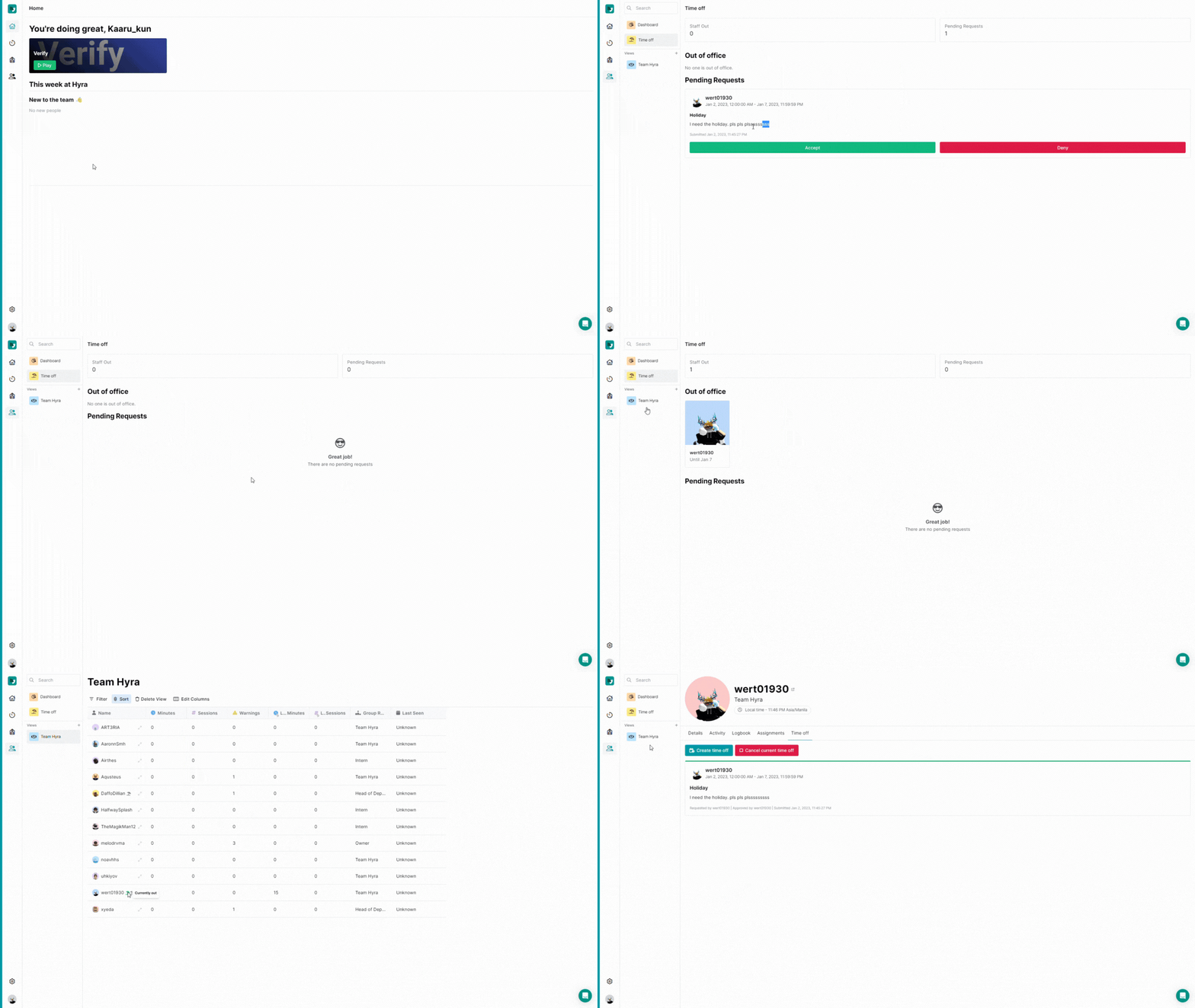
To accept/deny a time off request, head over to Staff > Time Off and see your staff's request.
How to cancel a Time off Request?
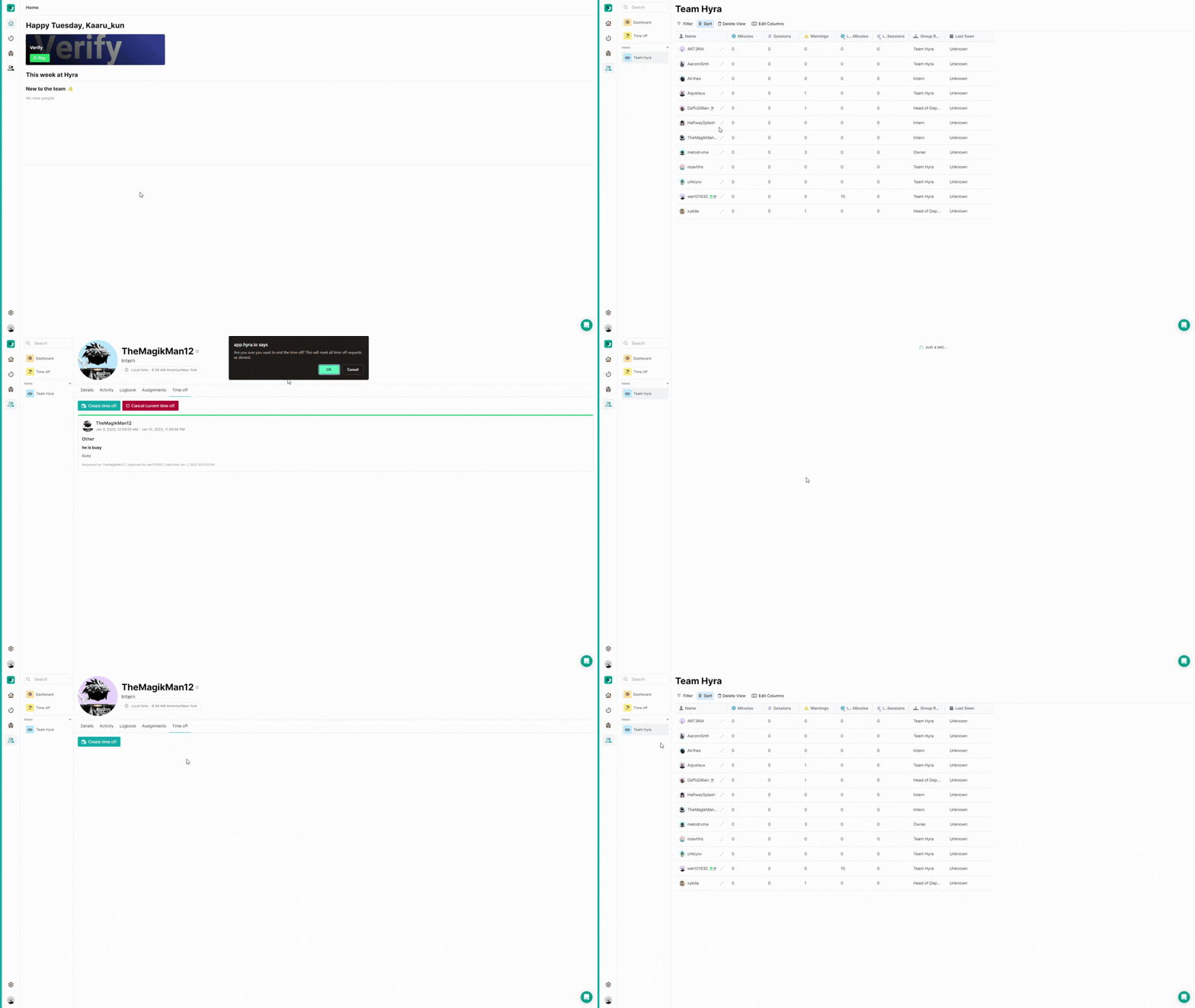
To cancel a time off request, go to Staff > Directory Profile and click the ""
How to create a Time off Request on behalf of someone?
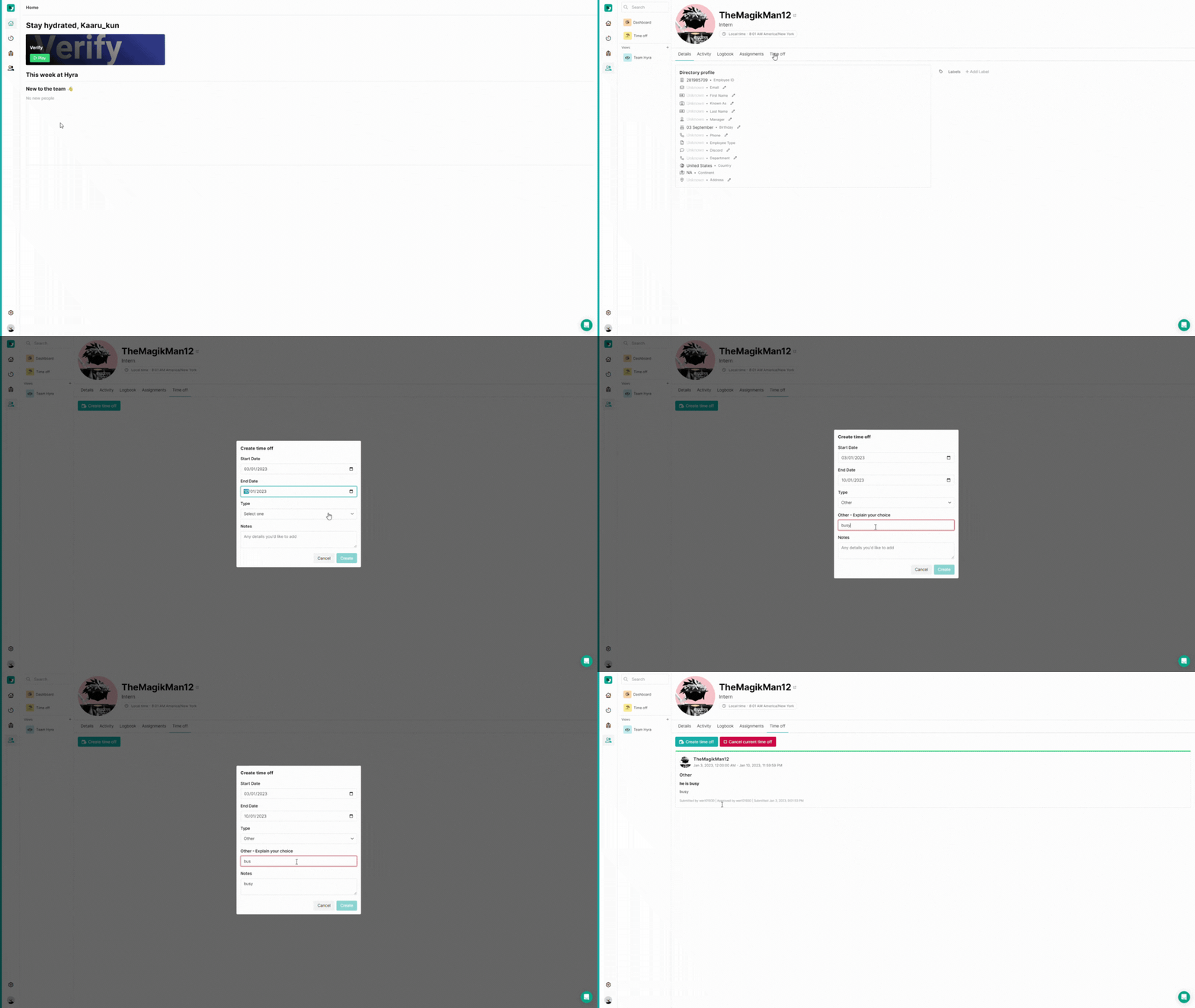
Let's say a staff asks if they could take a LOA in emergency, you can create a Time off Request and it will automatically be accepted. To do this, go to Staff > Directory Profile and click "Create Time Off"
Time off Icons
To also help you identify which staff are currently out without checking the Time off Page or their Directory Profile, you can see it right beside their username in Views.
| Icon | Description |
|---|---|
 | Green Icon shows that the user is currently out. |
 | Yellow Icon shows that the user is currently in time off this week. |
 | Grey Icon shows that the user is in time off last week. This is helpful if let's say you have a one-week cooldown for LOA or Time off Requests. |