Activity Tracking
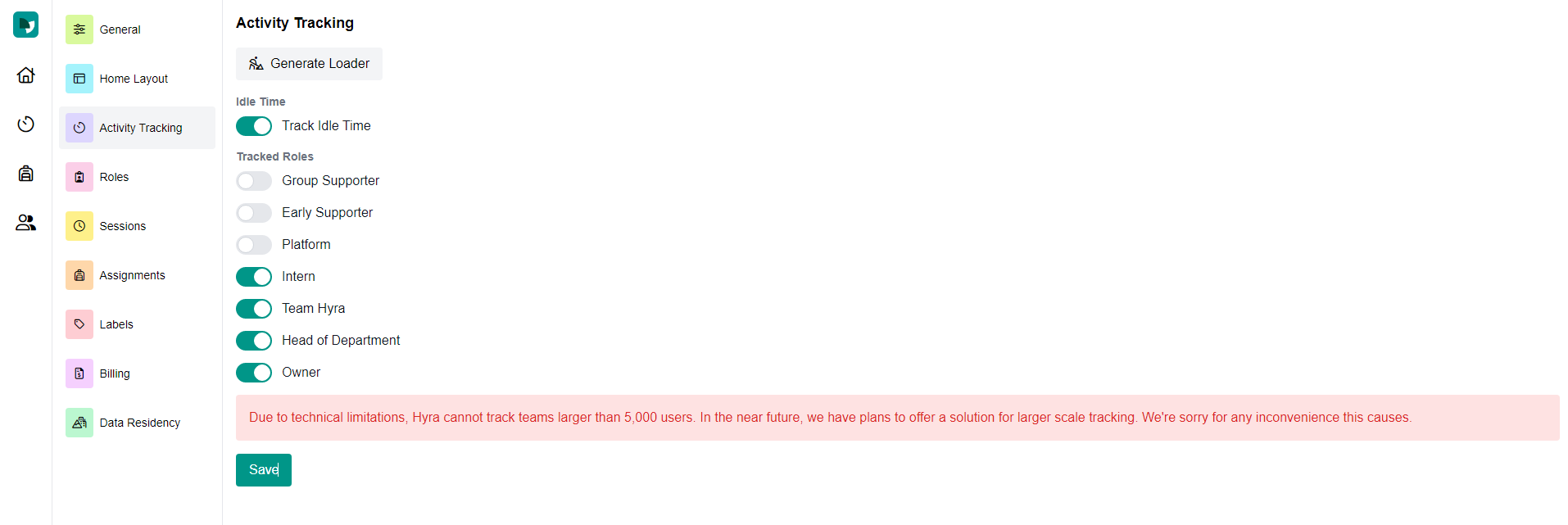
Activity tracking is the main feature of our platform. There are two quick things you have to do to get started. In your settings, you will have a Download Loader button at the top of your screen. Click this and a Roblox Studio file will be downloaded. Open this file and you will see instructions.

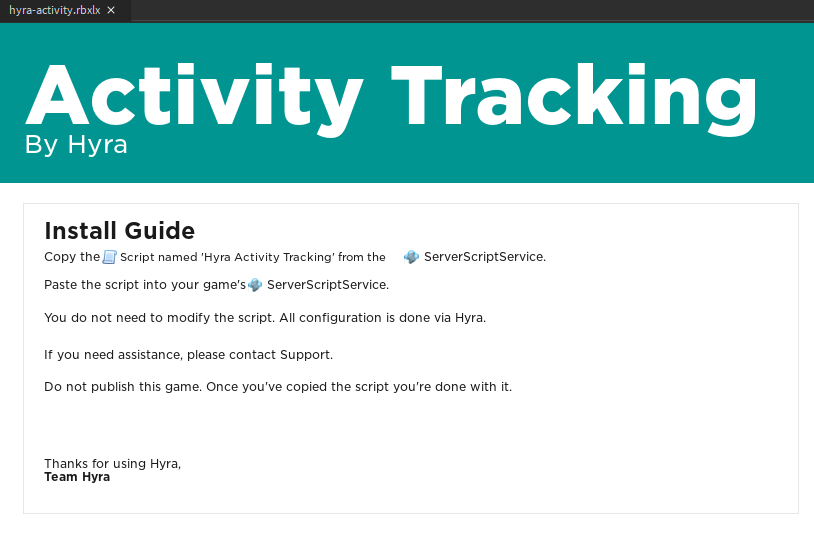
- "Copy the script named 'Hyra Activity Tracking' from the ServerScriptService.
- Paste the script into your game's ServerScriptService.
You do not need to modify the script. All configuration is done via Hyra.
Do not publish this game. Once you've copied the script, you're done with it.
Now Hyra will track the activity of your staff in game. Although there is one more step. Back on the settings page, you need to enable which roles you would like to track the activity of. Currently Hyra can not track more than 5,000 users.
We also recommend to enable the "Idle Time". This means that when your staff click out of the Roblox window, Hyra will pause their minutes. As well, if the window detects no interaction for a few minutes. This guarantees that your employees' minutes are not faulty.