Assignments
The assignments feature goes hand in hand with the activity tracking. Not only does Hyra benefit the administrators of your group, but also your MRs and HRs. Your employees can easily sign into the site and see their progress with their weekly requirements. They can either be assigned a certain amount of sessions, a minute goal, or both!
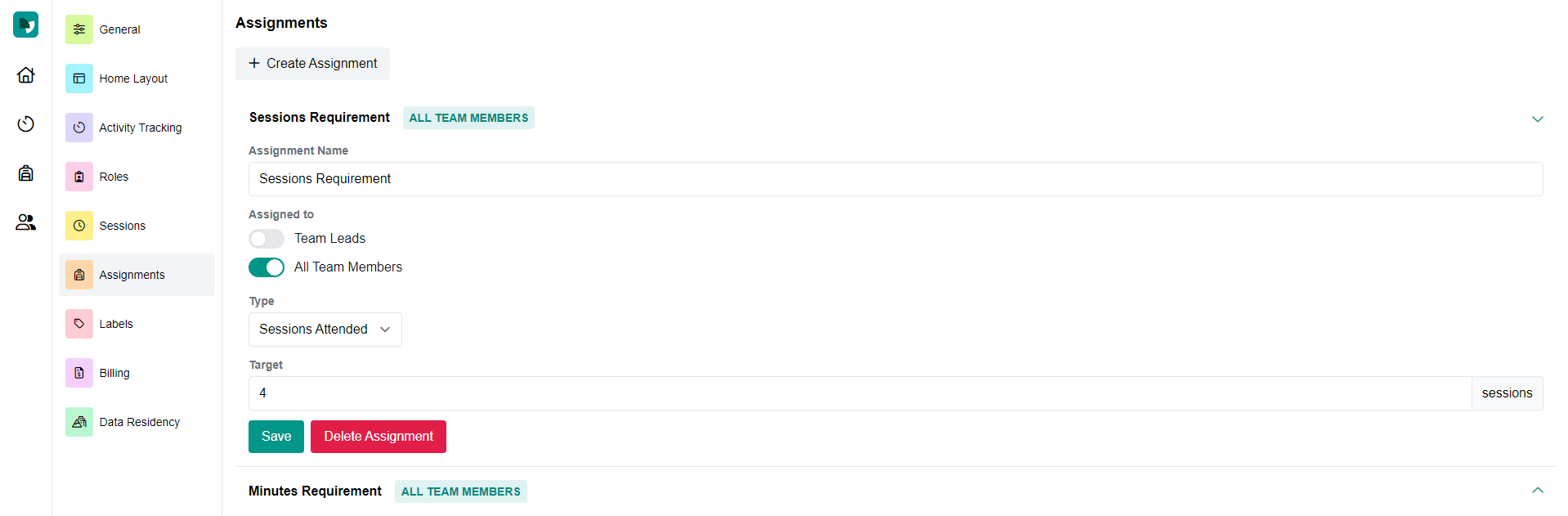
Here is how to create assignments.
- Name your assignment. Some examples for sessions may be "Trainings" for trainers and "Flights" for aviation groups. For minutes, a simple name like "Minutes In-Game" works well.
- Decide who to assign this assignment to. You must have created roles in your settings prior to this.
- Type is either an amount of minutes or sessions.
- Choose your target. Examples may be two hours/week, so put in "120" for Minutes in Game. As well, three sessions a week, so put in "3" for Sessions Attended. Of course this is all up to you!
- Make sure to click save!